
Version 76 - August 2025
New Features
User Profile Page
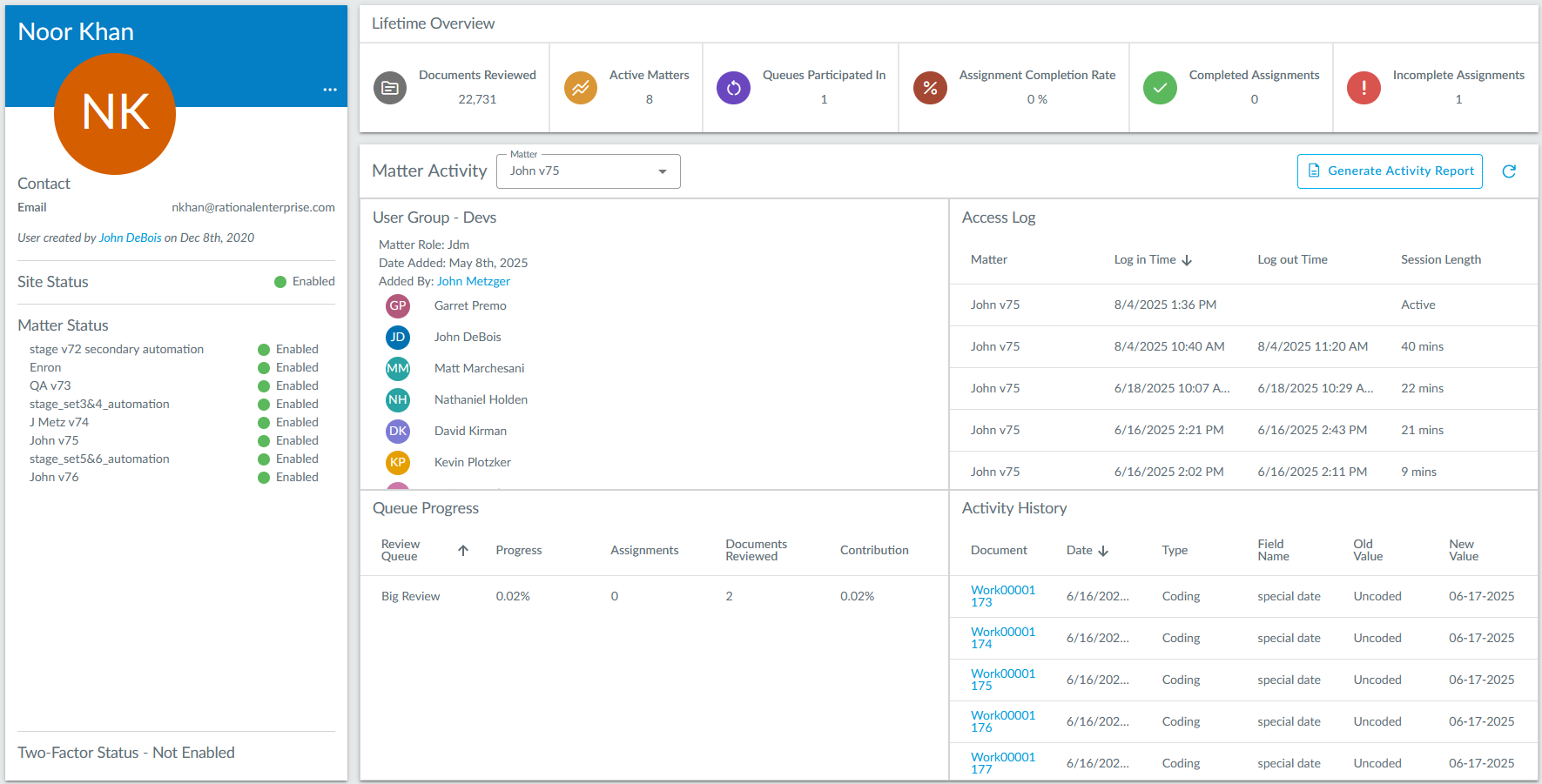
The User Profile page gives an overview of a given user on a site. Users can filter by matter to see access log information, queue progress, matter activity, and more. An activity report can also be generated right from this page.
To access the User Profile page, click on your user initials in the top right, and then click Profile.

Document Bookmarks


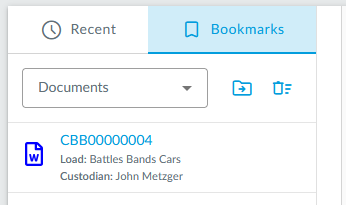
Documents can now be bookmarked in the viewer and document list. Bookmarked documents can be quickly accessed on the dashboard page in the new Bookmarks tab.
Quick Setup Wizard for Review Queues
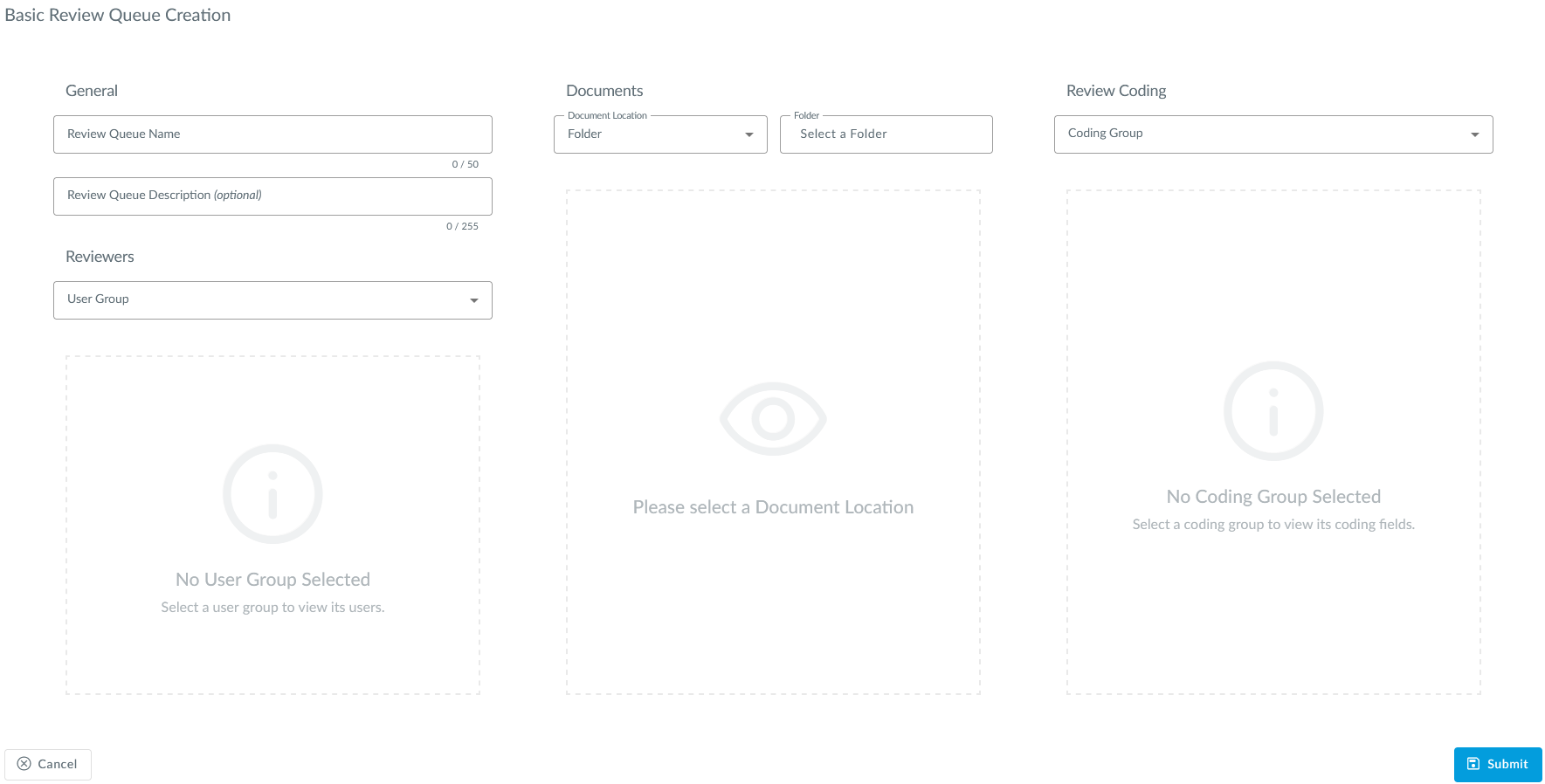
There is now an option to create a basic review queue, which simplifies review queue creation, which is normally a multi-step process.
Append Suffix to Produced Native
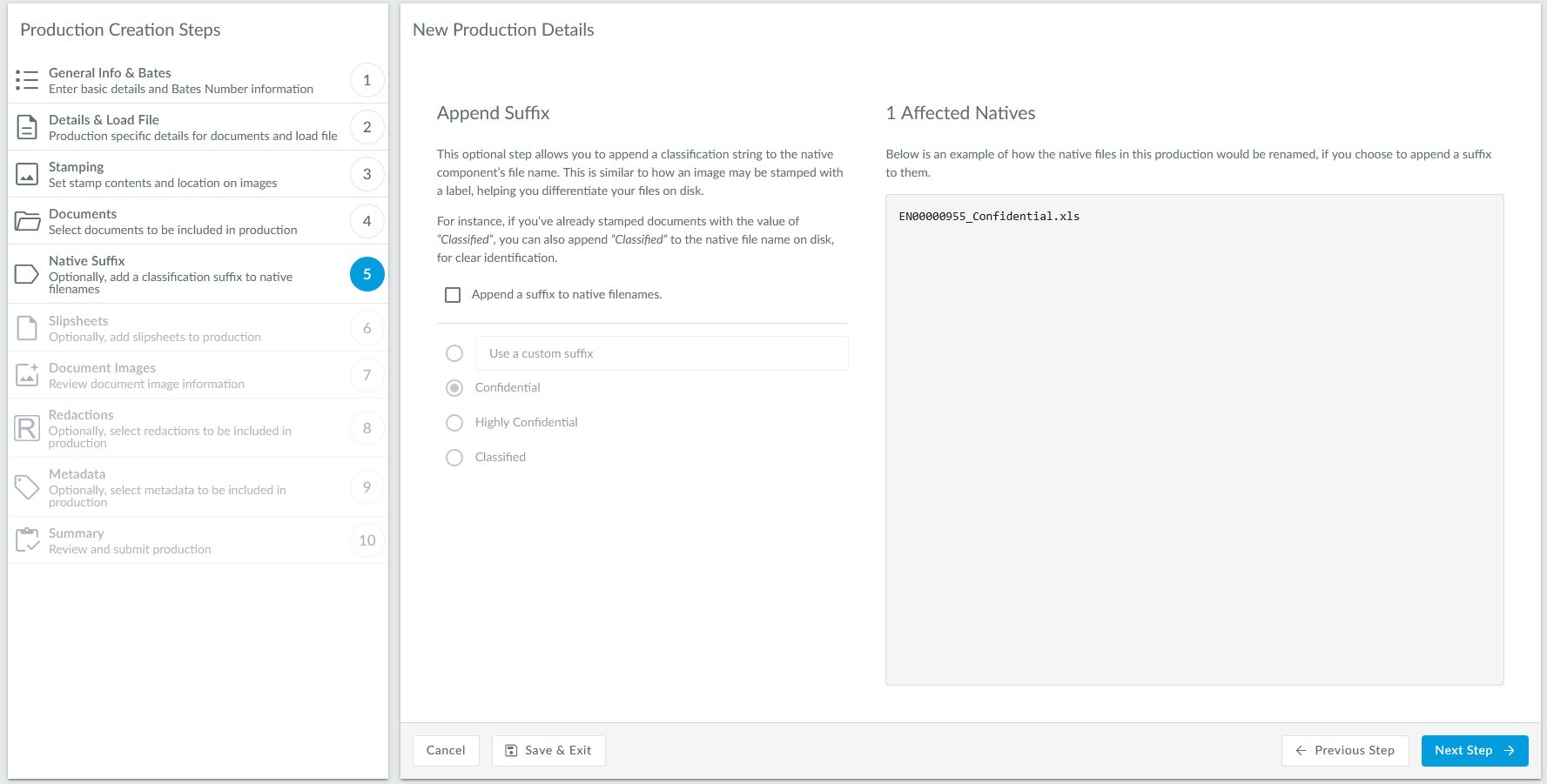
Users can now optionally append suffixes like "confidential" or "classified" to produced natives.
Bulk Summary
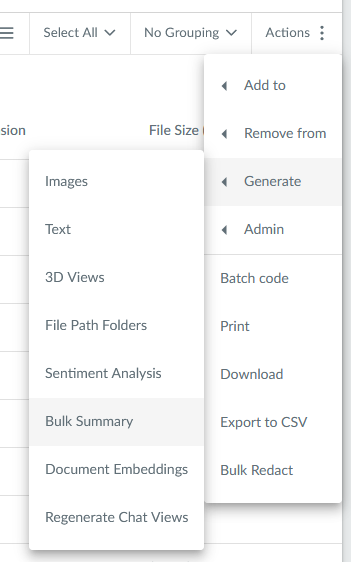
Users can now use AI to summarize documents in bulk now, through an action in the document list (Generate > Bulk Summary). The action will be backgrounded so it can be monitored on the Background Processing page.
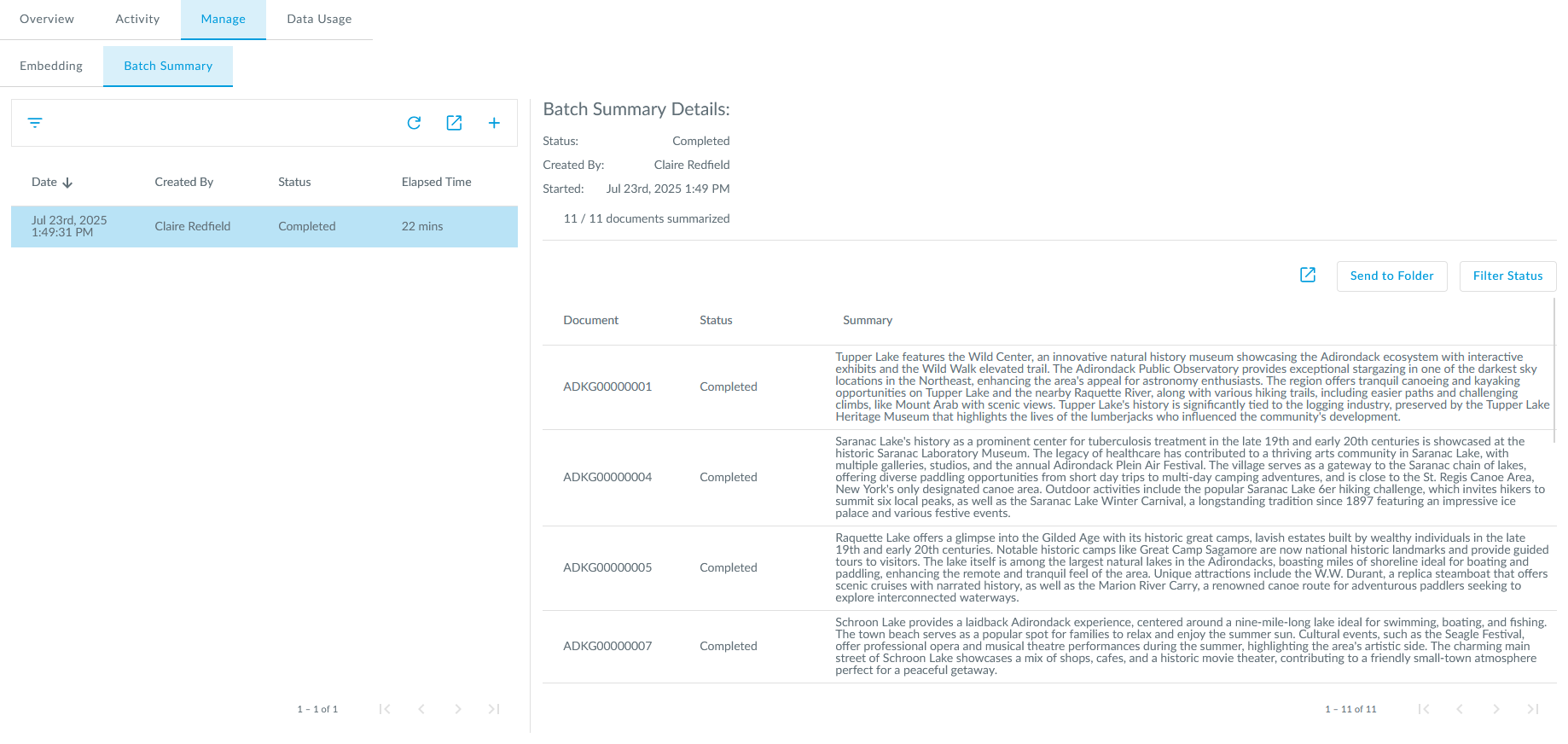
Resulting summaries can be viewed on the AI Insights page.
Improvements
Folder Navigation
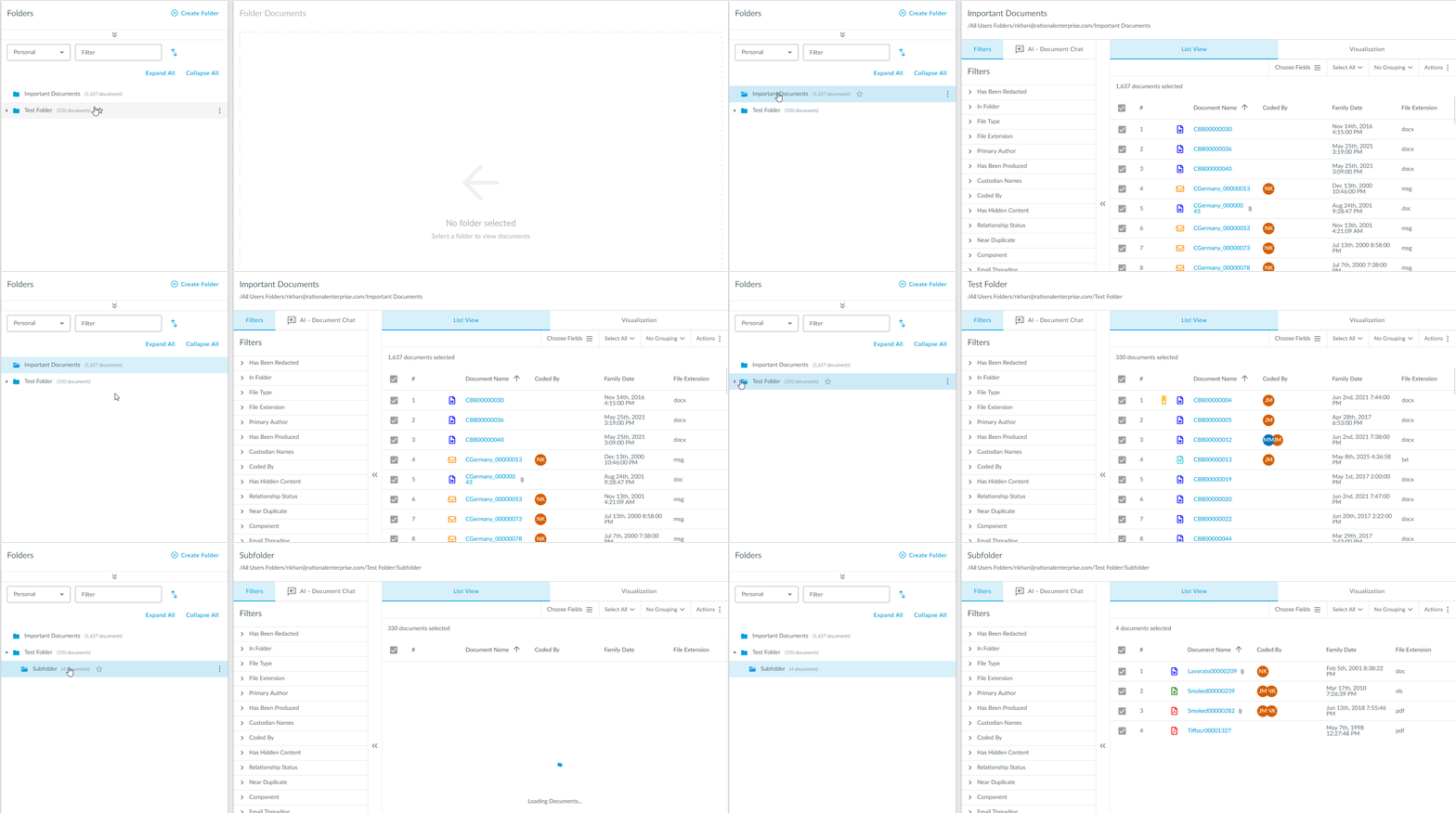
Folders are now displayed in a tree-like format, similarly to how you might see them on your personal computers. With this change, users can better see folder nesting.
Chat Viewer
The native view of chat documents is now more similar to their image components for consistency.
Chatbot Converstation Memory

The chatbot now has memory, which is enabled by default, where it will use the context of your conversation when giving responses.
Load Processing Charge Visibility
There is now real‑time visibility into the true billable processing volume of every document load into Rational Review by displaying the following two metrics on the Loads page:
- Original Uncompressed Size (OUS): Total uncompressed size on disk of all native files (parent and standalone only, not attachments), and/or produced media components, prior to deduplication.
- Post Finalization & Dedupe Size (PFD): Total size of all native files (including attachments), and/or produced media components, after de-duplication.
These metrics can also be found in the Loads Details report.
Pre-Release
Sitewide Search
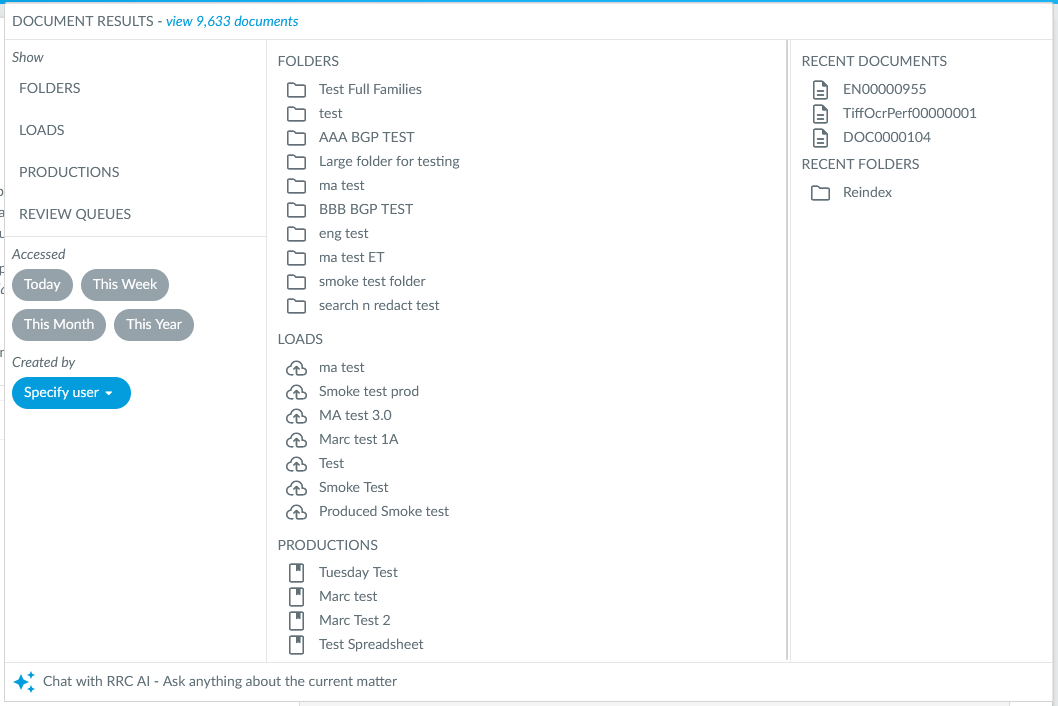
Sitewide Search allows users to quickly search multiple locations for what you're looking for. You can also use the Chatbot from here!
Forced Two-Factor Authentication Alert
The next time you log into Rational Review, you will see a two-factor authentication alert to inform you of the upcoming changes. More information can be found here.